
Sign in
Sign in to your E-Splice account.
Sign in
Sign in to your E-Splice account.

Sign up
Create your E-Splice account.
Sign up
Create your E-Splice account.
Last updated Oct 22, 2026
In short: E-Splice Accounting is bookkeeping software for small businesses, with invoices and bills, bank reconciliation, sales tax, in-house payroll with check printing, 1099s and an accountant’s copy. It is for owners who want their books in the same all-in-one account as their CRM, ERP, POS, Time Clock and Scheduling.
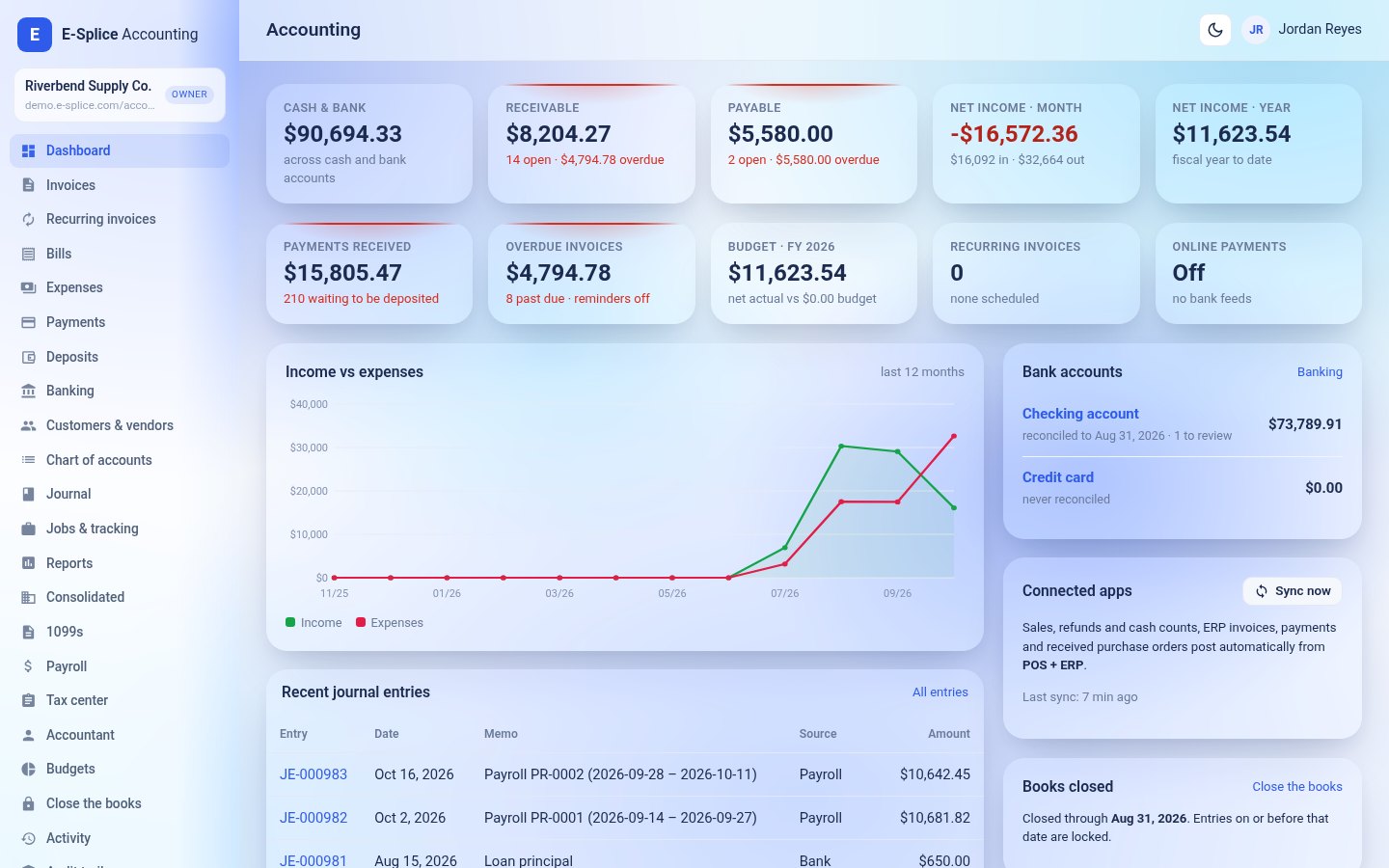
E-Splice Accounting is real double-entry bookkeeping for small businesses: invoices and bills, bank reconciliation, sales tax, 1099s, job costing, budgets and full payroll, in the same account as your CRM, ERP, POS, Time Clock and Scheduling. One login, one set of roles, and no copying numbers between apps.
Try it free for 14 days with Basic Read the Accounting guide
Import bank and card statements (CSV, OFX, QFX or QBO), let E-Splice match lines to your invoices, bills and deposits, set up bank rules for repeat transactions, and reconcile each account against its statement. Customer payments go to Payments Received (undeposited funds) until you group them into a bank deposit, so your deposits match the bank exactly.
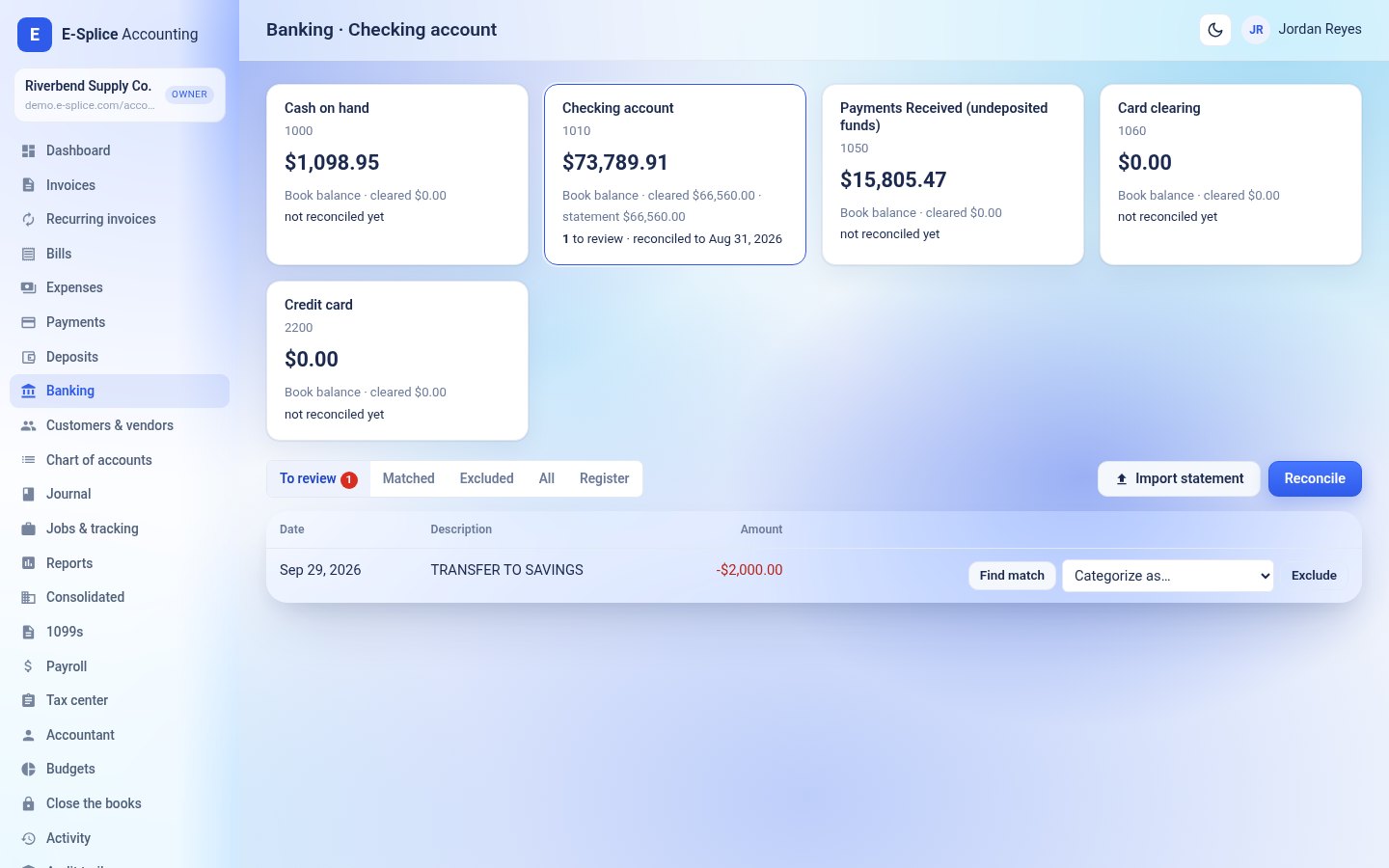
Import bank statements as CSV, OFX or QFX files downloaded from your bank’s website.
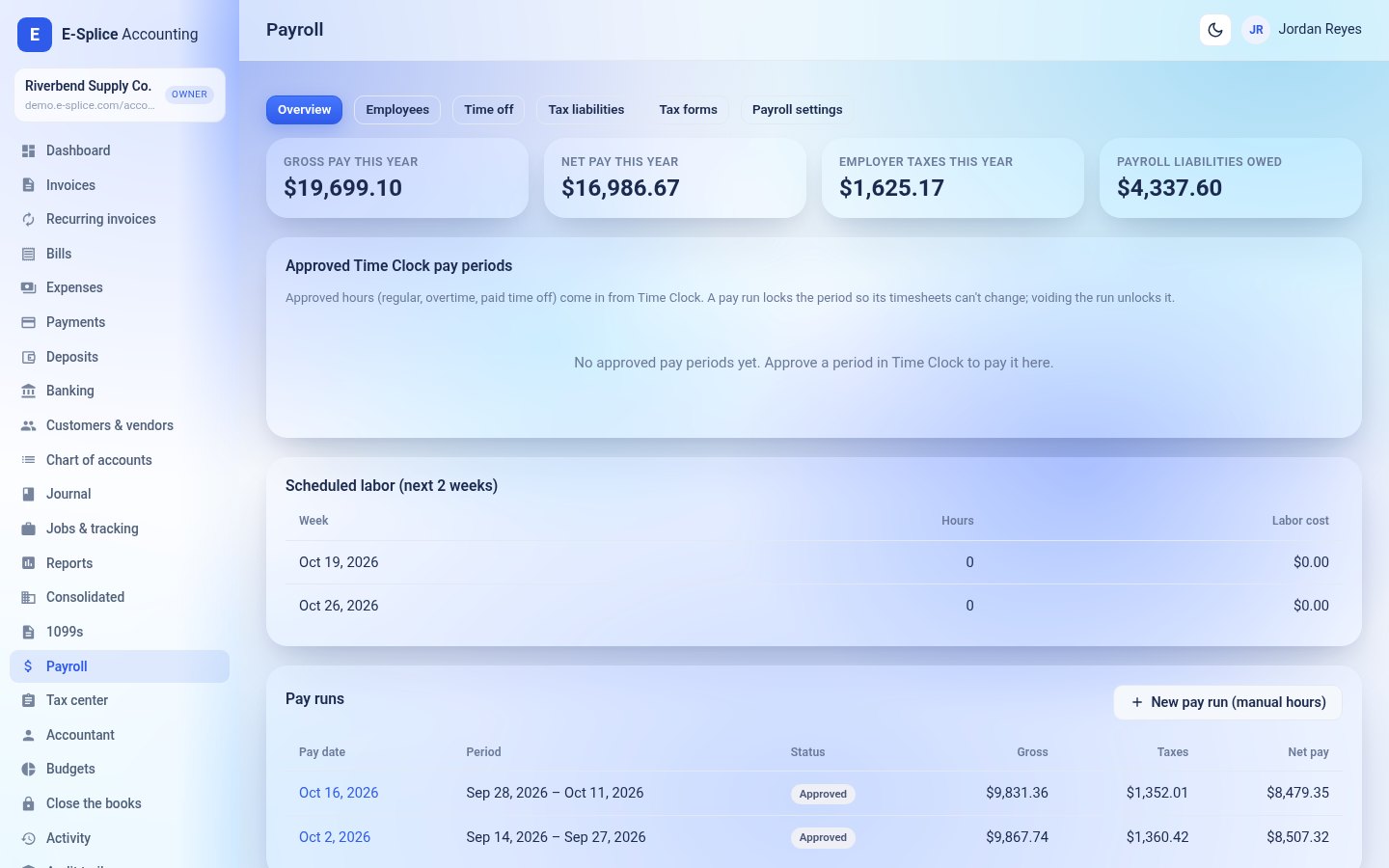
Run payroll right inside Accounting. Employees are the same people as in Time Clock and Scheduling (no double entry), and approved Time Clock hours (regular, overtime and paid time off) flow straight into the pay run. Running payroll in Mississippi? See Mississippi payroll software.
Mark vendors as 1099 contractors, collect W-9s through a private contractor link, and print 1099-NEC and 1099-MISC forms and the 1096 summary from your payments, or export the data for e-filing.
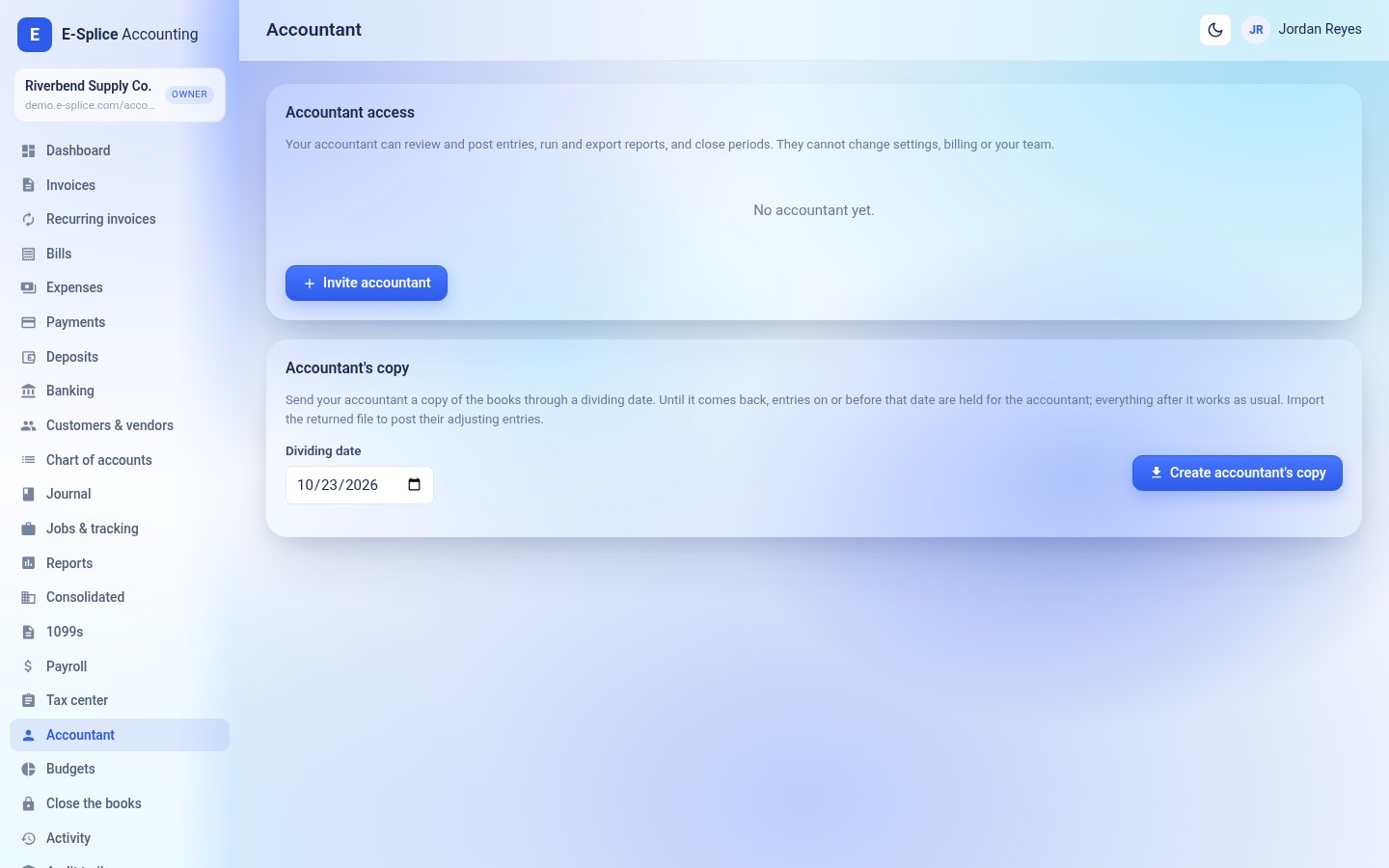
Invite your accountant with their own Accountant role. Send an accountant’s copy of the books through a dividing date: they review and make adjusting entries while you keep working after that date, then you import their changes. The Tax center maps your accounts to tax-return lines (Schedule C, 1120, 1120-S, 1065) and gives you a ready-to-hand-over income tax summary.
Tag invoice and bill lines, expenses, bank lines, journal lines and payroll with a job, department or location, and see income, costs and profit for each one.
Own more than one company? See a consolidated profit and loss and balance sheet across your E-Splice workspaces, with intercompany accounts eliminated.
Moving from another system? The E-Splice Data Migration app imports customers, vendors, items, opening balances, invoices, bills and history from common accounting, point-of-sale and spreadsheet exports, lets you review everything before it is written, and can undo an import. Accounting also has its own CSV import for the chart of accounts, contacts and opening balances.
POS sales, ERP invoices, payments and received purchase orders post to the books automatically, and Time Clock hours become payroll. Customers, products, people and locations are shared across the apps. E-Splice is hosted, so new features and fixes arrive automatically at no extra cost.
| Option | Price | What you get |
|---|---|---|
| Accounting on its own | $29.99/mo or $239.99/yr | The Accounting app, including payroll |
| Basic plan | $89/mo or $708/yr per location | Accounting + CRM, Marketing, ERP, POS and Integrations, plus a hosted WordPress/WooCommerce website |
| Premium plan | $209/mo or $2,148/yr per location | Everything in Basic + WMS, Time Clock, Scheduling and BI (Time Clock hours feed payroll) |
See individual app pricing and plans and pricing.
Start a 14-day free trial. You pay $0.00 for your plan today, and you can cancel anytime before your trial ends from My Account.
Is E-Splice Accounting double-entry?
Yes. It uses a chart of accounts and balanced journal entries.
Does it do payroll?
Yes. It runs pay runs with federal, FICA, FUTA, state unemployment and flat-rate state withholding, prints checks and stubs, and posts everything to the books. You verify the tax amounts and file and deposit the taxes yourself (see the note above).
Can I reconcile my bank account?
Yes. Import a statement (CSV, OFX, QFX or QBO), review the automatic matches and reconcile.
Does it handle 1099s and sales tax?
Yes: W-9 collection, 1099-NEC/MISC and 1096 printing, sales tax rates, a liability report and payments.
Can my accountant work in it?
Yes. Give them the Accountant role, or send an accountant’s copy and import their adjustments.
Can I import from my old software?
Yes, with the Data Migration app or the CSV import in Accounting.
Does it work on a phone or tablet?
Yes. E-Splice apps run in the web browser and adapt to phones and tablets. There’s no separate app to install.
Is there a free trial?
Yes. Basic, Premium and Team each come with a 14-day free trial. You add a card or PayPal at signup, nothing is charged for the plan until day 15, and you can cancel from My Account before then. E-Splice does not offer a free plan. Accounting is included in all three.
Do I need Time Clock for payroll?
No. You can enter hours on timesheets. With Time Clock (Premium and Team, or added for $19.99/mo or $159.99/yr), approved pay periods feed payroll automatically.
Can I import from QuickBooks?
Yes, from QuickBooks export files (IIF, Excel/CSV reports or the QuickBooks Online export ZIP). QuickBooks company files (.QBW/.QBB) can’t be read directly. See how to switch from QuickBooks.
Try E-Splice free for 14 days with Basic, Premium or Team. Card or PayPal at signup; nothing is charged for the plan until day 15, and you can cancel from My Account before then.
Start your 14-day free trial Talk to us or call 833-363-5233
