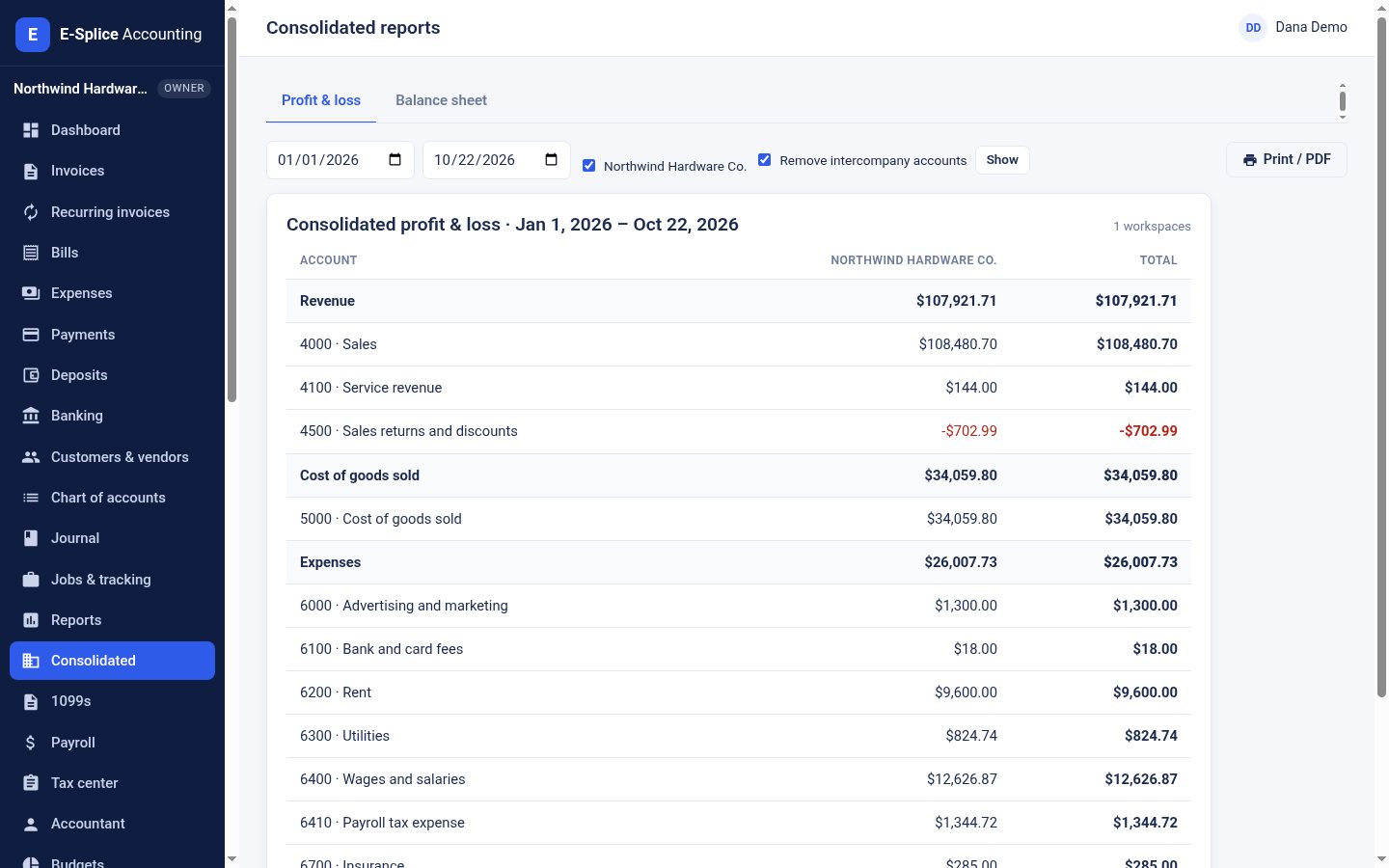

If you own or manage more than one E-Splice workspace (for example two companies), open Consolidated to see a profit and loss or balance sheet across them side by side with a total column.
- Choose which workspaces to include and the date range (or the balance sheet date).
- Turn on elimination to remove intercompany accounts you’ve marked to eliminate, so money moving between your companies isn’t counted twice.
- Print or export the report.
You only see workspaces where you have access to the books.