
Sign in
Sign in to your E-Splice account.
Sign in
Sign in to your E-Splice account.
Sign up
Create your E-Splice account.
Sign up
Create your E-Splice account.
Last updated Oct 22, 2026
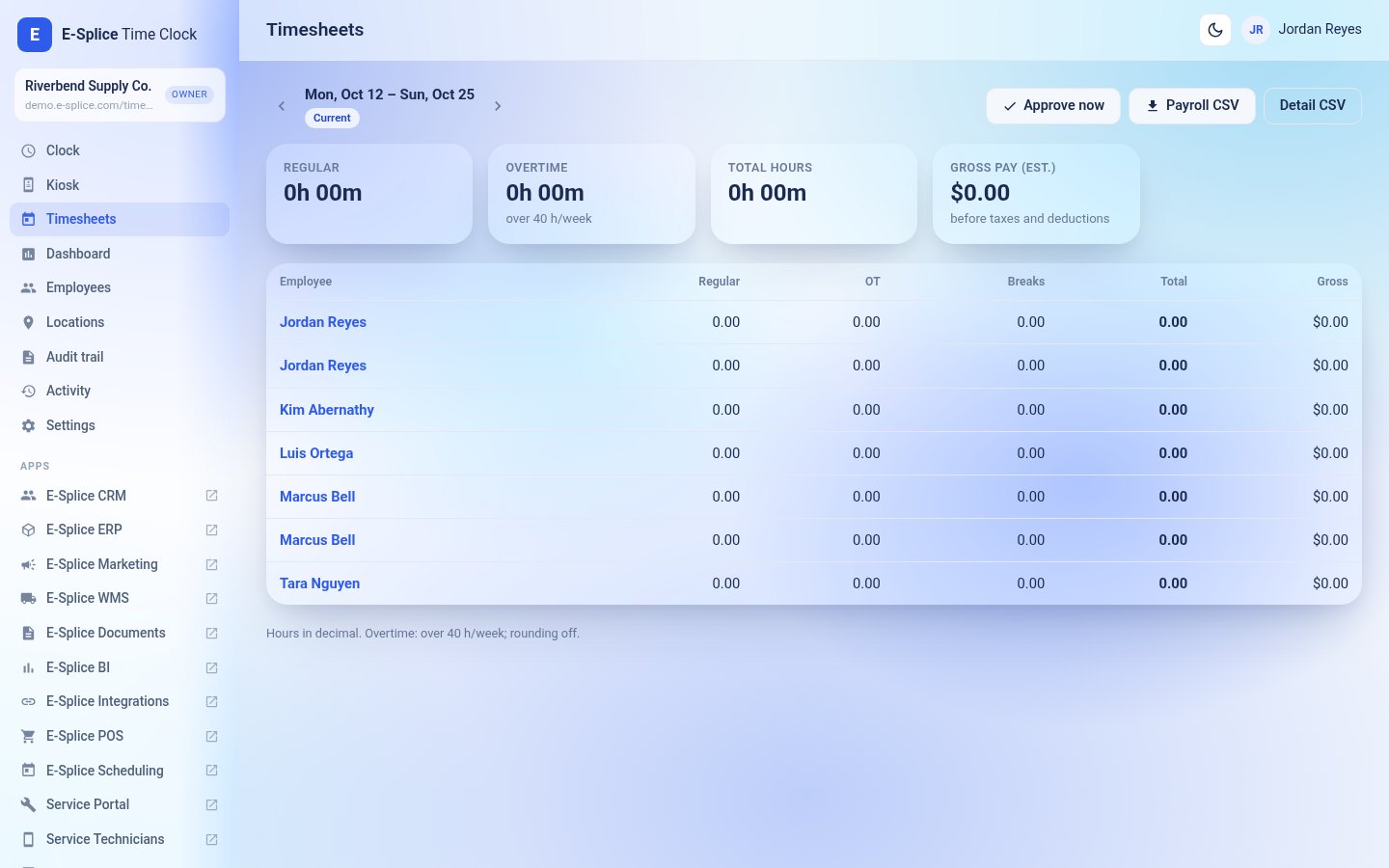
In short: E-Splice Time Clock and Scheduling is an employee time clock and shift scheduling app for small businesses with hourly staff. Employees clock in on a self-service clock or a shared PIN kiosk, with optional geofencing; managers schedule shifts, approve timesheets and send approved hours straight into payroll in E-Splice Accounting.
Build next week’s schedule, publish it to the team, and see who actually clocked in, all in one place. E-Splice Time Clock and Scheduling share the same people and locations, so you can compare scheduled hours against actual hours without a spreadsheet.
With E-Splice Accounting (in every plan), the whole loop happens in one account:
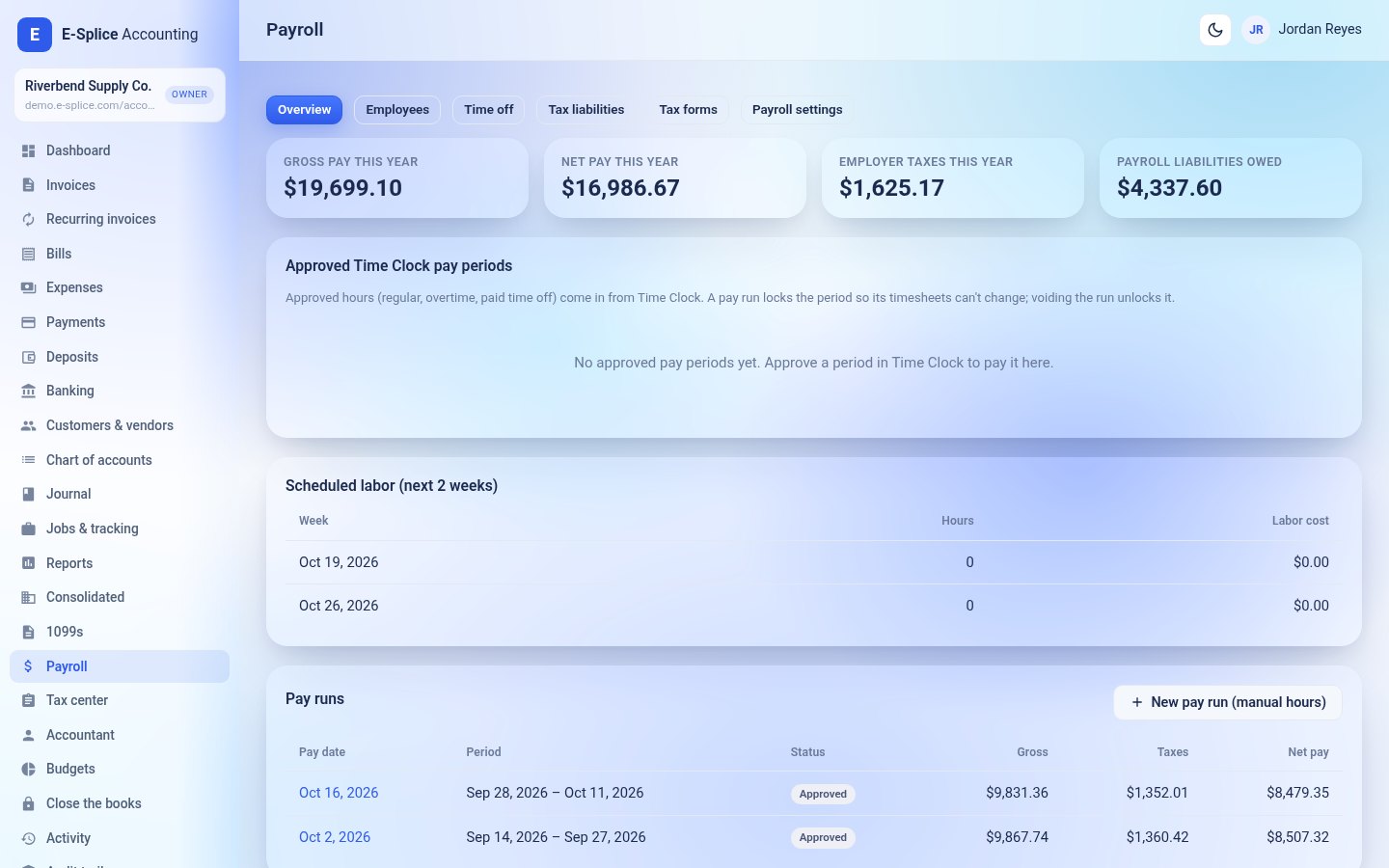
Payroll taxes are calculated from built-in tables as an estimate; you verify the amounts and make your own tax deposits and filings. See how payroll works.
Start a 14-day free trial of Premium. $0 today for the plan, cancel anytime before day 15.
Does E-Splice run payroll?
Yes. E-Splice Accounting runs payroll from approved Time Clock hours: gross-to-net, checks, pay stubs and payroll tax worksheets, posted to your books. You verify the tax amounts and file and deposit payroll taxes yourself. If you prefer an outside payroll provider, use the payroll CSV export instead.
Can employees clock in only on site?
Yes. Optional geofencing works on both the kiosk and the self-service clock, so staff can clock in only on site.
Can I try Time Clock alone for free?
The 14-day free trial covers plans (Basic, Premium, Team). Premium includes Time Clock and Scheduling.
Can employees clock in from a shared tablet?
Yes, with a shared PIN kiosk.
Does it handle overtime?
Yes: overtime, double-time and rounding rules on timesheets.
Can managers fix a missed punch?
Yes. Manager edits are kept in an audit trail.
Try E-Splice free for 14 days with Basic, Premium or Team. Card or PayPal at signup; nothing is charged for the plan until day 15, and you can cancel from My Account before then.
Start your 14-day free trial Talk to us or call 833-363-5233
